
Custom Domain Email Pricing: A Buyer's Guide to Plan Configurations and Implementation Costs
Custom Domain Email Pricing: A Buyer's Guide to Plan Configurations and Implementation Costs
For first-time buyers, individual operators, and scaling cross-border teams, transitioning to a custom domain email system is a critical step in establishing brand identity and securing communications. However, evaluating custom domain email pricing requires looking beyond the basic per-user subscription fee. The true cost of ownership encompasses plan configurations, security prerequisites, migration execution, and ongoing administrative overhead.
This guide explores the financial and operational considerations before, during, and after adopting an enterprise email solution, using 138 Enterprise Email as a reference model for officially direct-operated services.
Before Adoption: Evaluating Plan Configurations & Prerequisites
When forming a shortlist of email providers, buyers must align pricing tiers with their specific operational needs. Pricing is rarely flat; it scales based on user count, storage architecture, and security feature unlocks.
Understanding Tiered Pricing Structures
Based on standard pricing models for services like 138 Enterprise Email, costs are structured to accommodate different stages of business growth. Rather than focusing solely on the absolute number, evaluate what conditions change at each tier:
- Individual Operators (1 Account/Year):*
- Entry-level plans focus on essential global sending and receiving capabilities, multi-device access, and standard attachment limits. This tier is suitable for solo entrepreneurs needing a professional domain identity.
- Small Teams (5 Users/Year):*
- Mid-tier plans typically unlock critical administrative features. Pricing tiers scale based on user count; for example, 5-user plans unlock dedicated administrator accounts and security alerts for external or spoofed emails, whereas 1-account plans focus on basic global sending and multi-device access. Providers may also offer long-term incentives, such as extended subscription periods for multi-year commitments.
- Scaling Enterprises (20 to 50+ Users/Year):*
- Higher-volume plans maintain advanced security and global delivery features while optimizing the per-user cost for larger organizations. These plans are designed for teams requiring centralized account management and strict departure handover protocols.
Note: Pricing, taxes, domain fees, migration costs, and promotional terms are subject to change and must be verified against the latest official quotes and formal contracts.
Storage and Capacity Prerequisites
A common marketing term in enterprise email is "unlimited capacity." While sales pages may use the term 'unlimited capacity,' this refers to elastic expansion governed by fair use policies and single-account rules as defined in the formal contract, supported by a two-tier storage architecture. Platforms like 138 Enterprise Email utilize this architecture (separating email indexes from data) to support growth, but buyers must understand the technical boundaries to avoid unexpected infrastructure costs later.
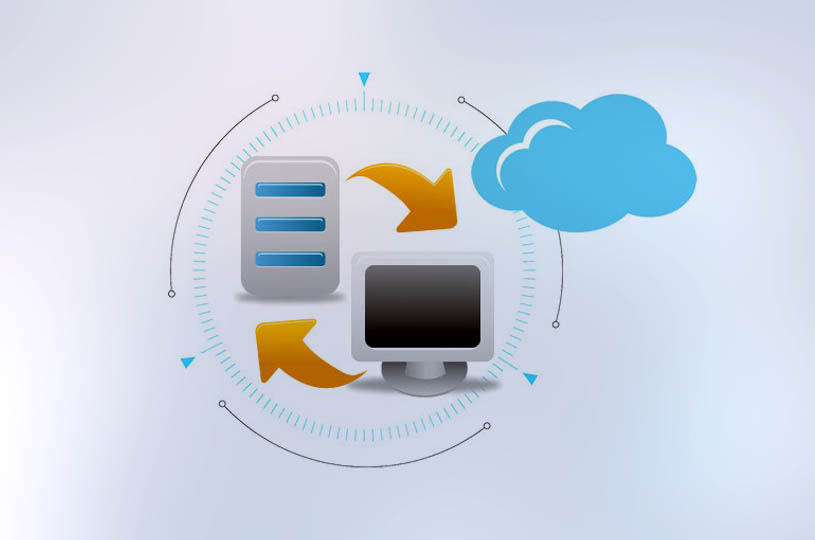
The Selection Checklist
To ensure the chosen plan delivers actual value, IT administrators should evaluate the following dimensions before signing a contract:
- Identity & Authentication: Does the pricing include support for SPF, DKIM, and DMARC configurations?
- Global Communication: Are there dedicated international nodes to ensure reliable delivery for foreign trade teams?
- Exit Strategy: What are the policies for data export, retention upon expiration, and migration assistance if you decide to leave?
During Adoption: Implementation & Migration Boundaries
The most significant hidden cost in custom domain email pricing is a failed or poorly executed migration. Moving historical data, contacts, and active workflows requires strict operational boundaries.
The Official Direct-Operated Advantage
Unlike agent-based models, officially direct-operated services eliminate intermediary markups and provide standardized, accountable support for activation, configuration, and daily operations. This direct relationship is crucial during the migration phase, ensuring that technical boundaries are clearly communicated.
Migration Execution Steps
A professional migration is not a simple data copy. It requires a phased approach to prevent data loss and communication downtime. Buyers should clarify with their provider which legacy systems are supported, as the actual scope depends on old system protocols, data quality, and account permissions.
- Pre-Migration Inventory: Audit domain and DNS permissions, all user accounts, aliases, forwarding rules, and historical data across web, PC, and mobile clients.
- Mapping & Testing: Establish an account mapping table. Pre-build accounts on the new system and conduct small-scale migration tests without changing the MX records.
- DNS Transition: During implementation, administrators must lower the DNS TTL and prepare rollback records, followed by a parallel observation period where old and new systems run concurrently to prevent missed emails.
- Data Transfer & Verification: Migrate historical data, process any failed items, and verify that all target accounts can log in, send/receive globally, and access critical folders.
- Final Cutover: Only terminate the old service after obtaining business confirmation and completing the acceptance checklist.
After Adoption: Security, Compliance, and Scaling
Once deployed, the focus shifts to maximizing the return on investment through security enforcement and seamless multi-device usage.
Enforcing Security Policies
Post-deployment, the system must actively protect the organization's domain reputation. Features included in standard enterprise plans should automatically identify spoofed emails and alert users to unknown senders. Administrators must ensure that secondary verification, IP restrictions, and anti-virus scanning are actively configured to meet compliance requirements, especially for cross-border financial or medical communications.
Multi-Device Compatibility
For cross-border and foreign trade teams, accessibility is non-negotiable. The deployed solution must support seamless synchronization across web interfaces, mobile apps, native PC clients, and third-party standard protocol clients (like Outlook or Foxmail). Ensuring these endpoints are properly configured prevents workflow disruptions and justifies the initial investment.
Conclusion
Evaluating custom domain email pricing is a multidimensional process. For scaling teams, the lowest upfront cost may lead to higher operational risks if the provider lacks robust global delivery nodes, strict security protocols, or professional migration support. By focusing on transparent tier configurations, clear migration boundaries, and officially direct-operated service models, enterprises can secure a communication infrastructure that supports long-term growth.
Next Steps
If your team is preparing to scale or migrate, assess your current DNS permissions and historical data volume. Contact the 138 Enterprise Email official service portal to request a customized quote, verify the latest promotional plans, and discuss a tailored migration strategy for your organization.
Recommended

Qianhai Insurance Selects 138 Enterprise Email – Case Study
Qianhai Property & Casualty Insurance, a nationally licensed property insurer approved b...

Cross-border E-commerce GUORLAN Chooses 138 Enterprise Email
Cross-border e-commerce company GUORLAN migrated from its legacy email system to 138 Ent...

Lac Hao Electronics Vietnam Enterprise Email Case Study
Lac Hao Electronics Vietnam is an electronics company exporting products to North Americ...